 Trusted Content
Table of Contents
Key Takeaways
- Uber and Lyft injury claims often depend on digital evidence that shows the driver’s app status, route, and trip activity.
- Screenshots taken before, during, and after a crash can preserve details that quickly disappear from rideshare apps.
- Clear timestamps and in-app records help resolve disputes over insurance coverage and responsibility.


Most people never think about documenting an Uber or Lyft ride… until something goes wrong. Rideshare crashes happen fast, and injured passengers rarely feel prepared to gather evidence while dealing with shock, confusion, or pain. But when it comes to protecting your rights, a handful of screenshots can make the difference between a denied claim and full compensation.
At MKP Law Group, LLP, we help injured rideshare passengers across Southern California rebuild their lives with clarity and compassion. One of the first things we teach clients is how powerful digital evidence can be. If you were injured in an Uber or Lyft accident, your phone already holds some of the strongest proof available. Knowing what to screenshot before, during, and after a rideshare crash, and why each image matters, can help you later.
Why Screenshots Matter in Rideshare Injury Cases
Uber and Lyft cases are different from regular car crashes. Insurance coverage depends on the exact stage of the ride, the driver’s app activity, and the trip details recorded inside the platform. The rideshare companies will rely on their digital records when evaluating your claim, and you should, too.
Screenshots help you:
- Prove the driver was logged in and on an active trip
- Show route deviations, delays, or unsafe driving patterns
- Document driver behavior or in-app communication
- Preserve evidence before it disappears from the app
- Support your version of events when statements conflict
Claims involving rideshare companies often turn on small details. A timestamp here. A route line there. These screenshots help fill in the gaps.
What to Screenshot Before the Ride Begins
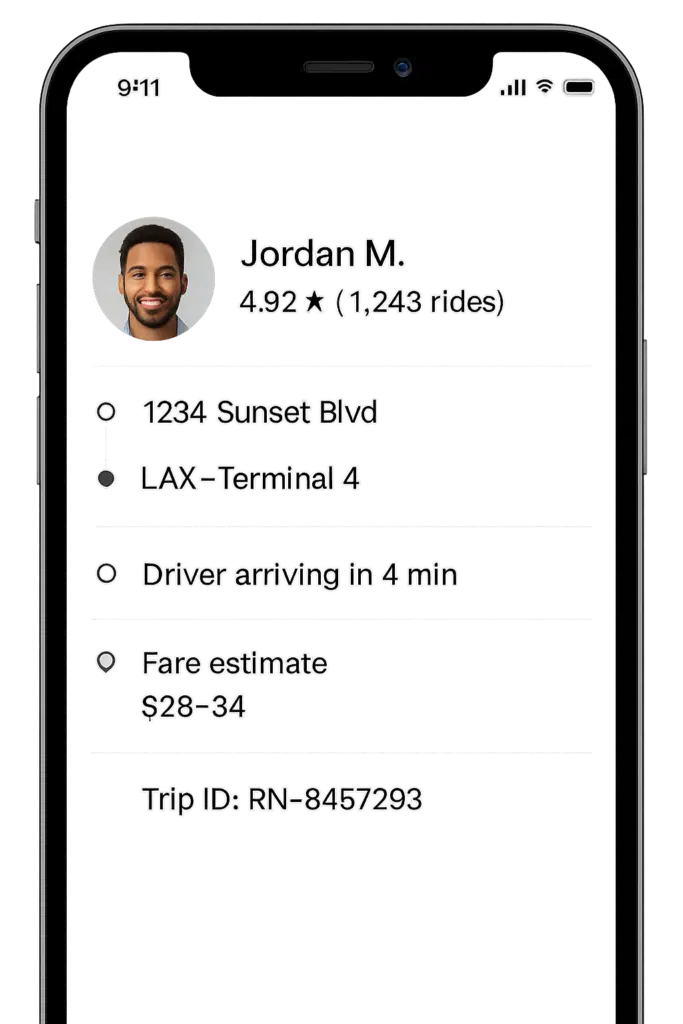
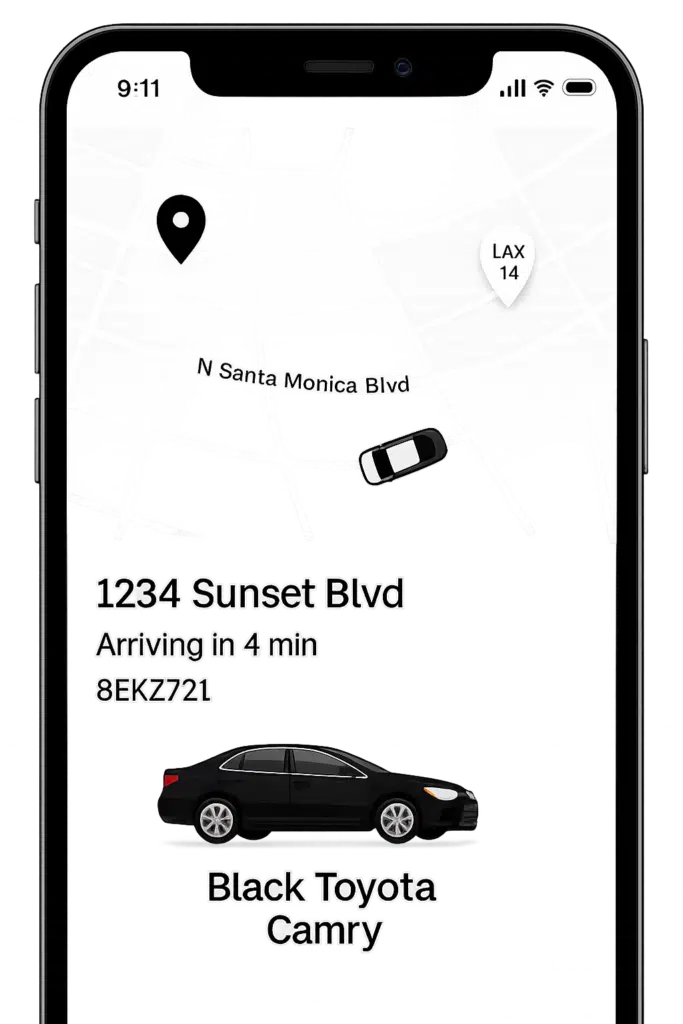
1. Driver Profile Page
Capture:
- Driver name
- Photo
- License plate number
- Vehicle model and color
- Driver rating
Why it matters: If the vehicle doesn’t match what the app shows, or if the driver switches cars, you have documented proof. This screenshot also helps confirm you were picked up by the correct driver.
2. The Trip Confirmation Screen
This includes:
- Pickup location
- Destination
- Estimated arrival time
- Fare estimate
- Trip ID (if visible)
Why it matters: This proves your ride was officially accepted, which triggers Uber or Lyft’s insurance policies.
3. Any Notes or Safety Concerns You Add in the App
If you’ve used the “Report Safety Issue” or “Notes for Driver” feature before pickup, screenshot it. These entries can disappear once the ride begins.
Screenshots to Take During the Ride
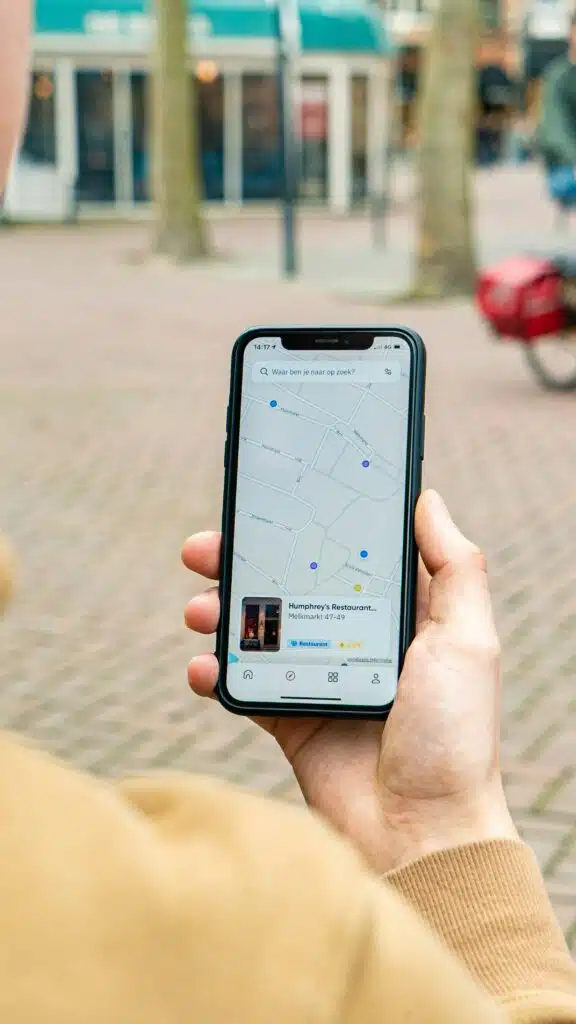
4. The Live Map and Route
If you notice:
- Sudden or unexplained route changes
- Speeding
- Hard braking
- Unsafe detours
- Missed turns
Why it matters: Even one or two images help establish the driver’s behavior, the location of the crash, or whether the driver was acting erratically leading up to the collision.
5. In-App Chat With the Driver
Did the driver:
- Ask you to sit somewhere unsafe?
- Request that you pay outside the app?
- Acknowledge mechanical issues?
- Tell you they were “almost there” while speeding?
Why it matters: These chats disappear quickly. A screenshot preserves context and tone.
6. Timestamped Speed or Location Tracking Apps (If Installed)
Some passengers use safety apps or built-in phone features. If they show excessive speed or dangerous driving, capture them.
What to Screenshot After an Uber or Lyft Crash
A collision can leave you disoriented, but the screenshots can help you later. Uber and Lyft drivers may be reluctant to call the police and get an official report, so you want to ensure you have your own physical evidence of the crash.
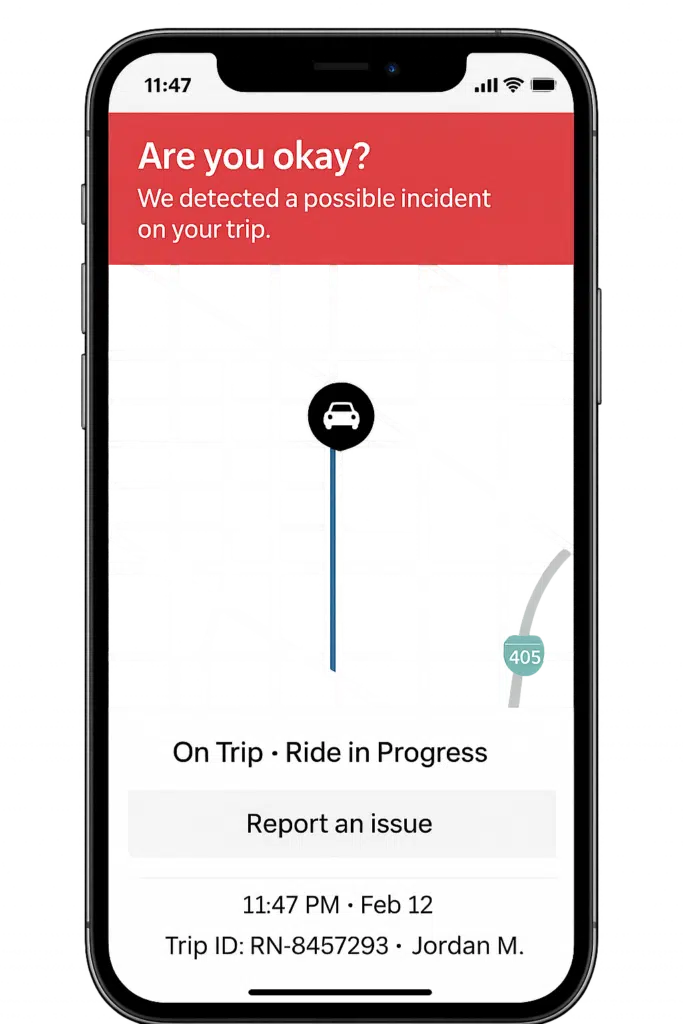
7. The Trip Screen Immediately After the Crash
Before the driver ends the ride, capture the:
- Exact time
- Exact location
- Active route
- Trip status
Why it matters: Once the ride ends, you may lose real-time data that proves the crash happened during an active Uber or Lyft trip, which affects insurance coverage.
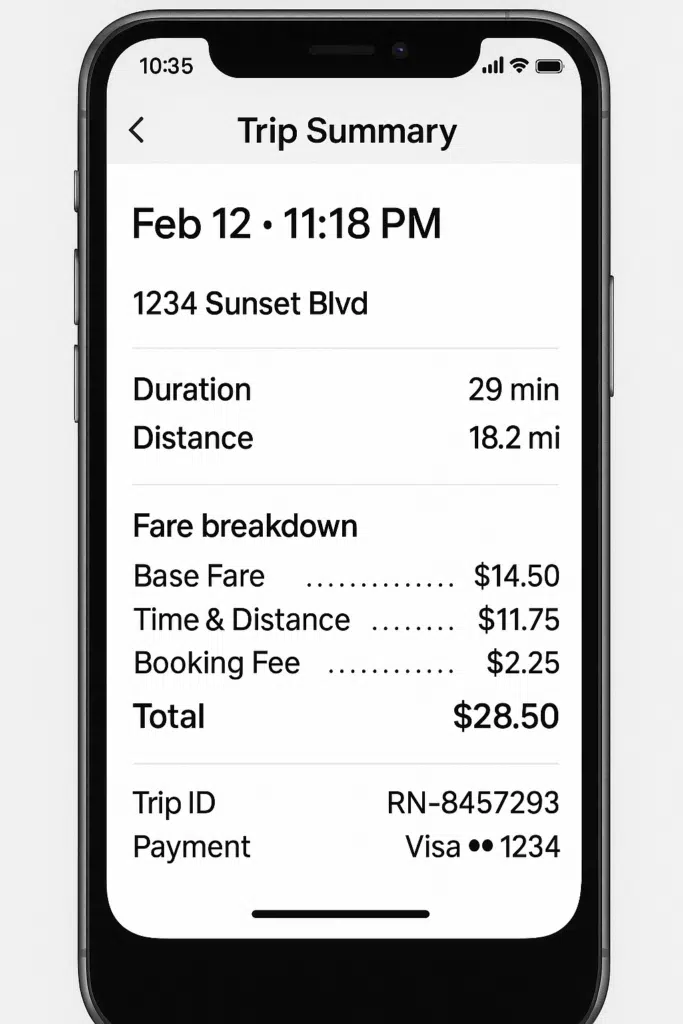
8. Ride Receipt and Trip History
After Uber or Lyft generates a receipt, screenshot:
- Trip ID
- Driver name
- Route
- Time and duration
- Fare
- Any surge pricing
- Pickup and drop-off points
Why it matters: The trip receipt creates a digital paper trail the insurance company can’t dispute.
9. App Notifications
You may receive:
- Cancellation notices
- Driver “trip ended” alerts
- Charge adjustments
- Safety check-in prompts
- Automatic messages asking if you’re OK
Why it matters: These notifications help confirm timing and company awareness.
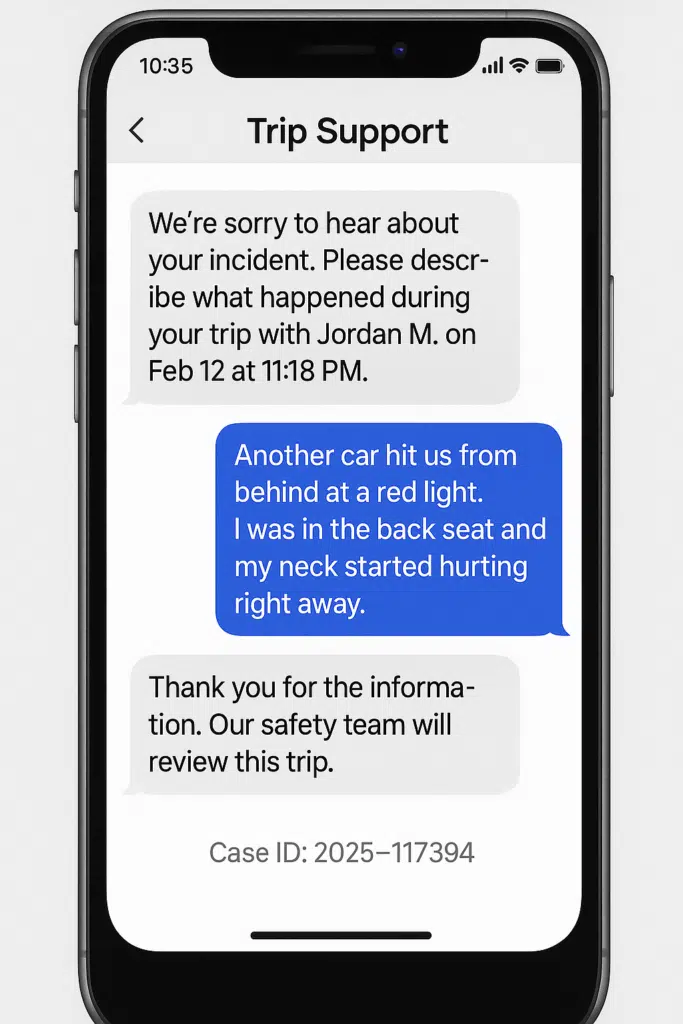
10. Messages From Uber or Lyft Support
Both companies communicate heavily in the app after an incident. Save:
- Apology messages
- Requests for details
- Statements about insurance or investigations
- Confirmation that you reported the crash
Why it matters: These can become critical if a dispute arises later.
11. Driver’s License Plate and Vehicle Damage
While not technically a screenshot, these photos should be saved with your screenshots folder. They help confirm matching information, show impact severity, and preserve evidence before the car is moved.
Other Digital Evidence Worth Saving From an Uber or Lyft Trip
Screenshots inside the rideshare app are only part of the story. Your phone often holds a much fuller picture of what happened before and after the crash. Location data, for example, can be a quiet but powerful witness. Apps like Google Maps and Apple Maps keep an automatic timeline of where you were and when you were there. Saving a screenshot of that timeline — or of your exact coordinates at the moment the collision occurred — can help anchor your version of events to a precise place and time.
Your own text messages can also become valuable evidence. Many people send quick messages to a friend or family member right after a crash without realizing how useful those exchanges later become. A simple “My Uber just got hit” creates a timestamped record that shows when you first reported the incident and what you understood about it at the moment.
Medical documentation works much the same way. If you start developing pain hours or days later and book an appointment online, save the scheduling confirmation. Screenshots of early medical outreach show that you acted promptly, even if your symptoms were delayed.
And if you contacted your auto insurer or health insurer after the crash, capture those app messages as well. Whether an adjuster asked for details or provided instructions, these early interactions help build a clear timeline of what you knew, when you knew it, and how quickly you tried to address your injuries and losses.
All of this digital evidence fills in the gaps that the rideshare app alone can’t cover. It builds a fuller, more accurate picture of the hours surrounding the crash — something that becomes incredibly useful once insurance companies start scrutinizing every detail.
How These Screenshots Strengthen Your Rideshare Injury Claim
Rideshare claims are rarely simple. Depending on what the driver was doing at the time of the crash, different insurance policies may be involved: the rideshare company’s coverage, the driver’s personal policy, another motorist’s insurance, or even your own underinsured motorist benefits. Sorting out who is responsible often turns on tiny pieces of information, and that’s where screenshots become invaluable.
One of the most important questions in any Uber or Lyft case is whether the driver was actively working. If your screenshot shows an ongoing trip with a live route, a timestamp, or an in-progress ride screen, it becomes far harder for an insurer to argue that the higher rideshare policy shouldn’t apply. Rideshare companies frequently challenge this point, and having your own record cuts off that dispute before it starts.
Screenshots also preserve conditions that might change minutes after the crash. Drivers can end trips early, routes can refresh, and app notifications may disappear. By capturing what you see in real time, you freeze the evidence exactly as it appeared before anything can be altered or overwritten.
These images also help support your account of how the crash happened. A sudden route deviation, a map showing excessive speed, or a message from the driver acknowledging something unusual can all reinforce your description of the moments leading up to the collision.